Already have the sheet? Just upload it.
For customers who design elsewhere: they upload a finished gang sheet, pick the length, and pay by the inch. You get the same print-ready output. Zero back-and-forth.
 Find us on Shopify
The fastest path from file to film.
Customer uploads the finished sheet
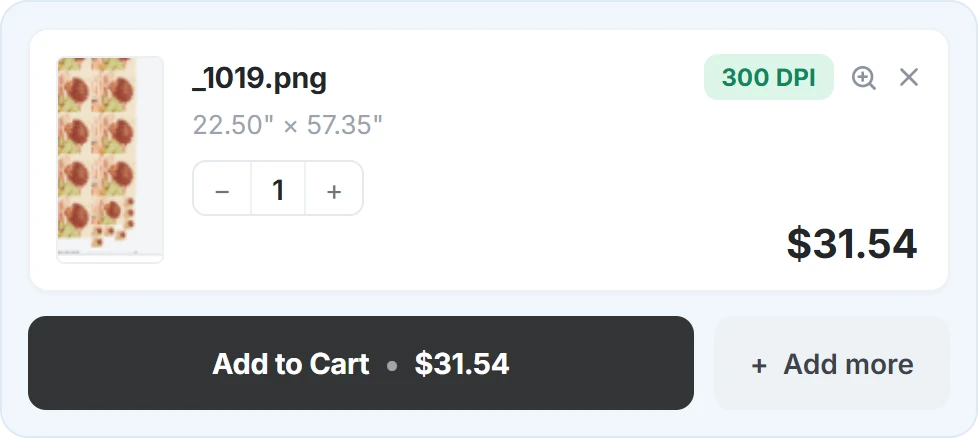
A print-ready PNG up to 1 GB, designed in whatever tool they already use. The upload block lives right on your product page.
Pays by the inch
Pricing follows sheet length with automatic volume discounts: the longer the cart, the lower the per-inch rate. No quotes, no manual math.
You print, status-tracked
The order renders through the same 300 DPI pipeline, stamped with the order number. Track every sheet's status from "rendering" to "ready to print".
Serve the customers who bring their own files.
Volume pricing built in
Reward bigger orders automatically. The per-inch rate steps down as total cart length grows, and every tier is configurable for your shop.
- Set your own per-inch rates and length tiers
- The rate steps down automatically as cart length grows
- Bigger orders get rewarded: no manual discount codes
Long sheets, handled
Take long orders without thinking about it. Oversized uploads are split into printer-friendly pages automatically.
- Runs on whatever printer width you set
- Automatic multi-page splitting with page indexing
- Every page attached to the Shopify order as a download
The same print pipeline
Uploaded sheets go through the exact render engine the builder uses, so every file that reaches your printer looks the same, no matter how it arrived.
- 300 DPI render with the order number stamped on
- Status tracking per sheet: rendering, ready to print, failed
- Upload history with one-click downloads in your admin
Plays nice with the builder
Offer both flows side by side: the drag-and-drop builder for customers who design in your store, and direct upload for the ones who arrive print-ready.
- Ships inside the Gang Sheet Builder app: one install
- One permanent checkout product, zero variants: catalog stays clean
- Theme block drops onto any product page, no code
The fast lane for customers who already did the layout.
Some of your best customers never want to see a builder. Screen printers moving work to DTF, resellers, and designers who gang their own sheets in Photoshop, Illustrator, or a RIP arrive with a finished file and one question: how much for this length?
Without an upload flow, that question becomes an email thread, a quote, and a manual invoice. With Upload Gang Sheet on a Shopify product page, they upload the sheet, see the per-inch price with your volume tiers applied, and check out in the normal Shopify checkout. The file goes through the same render pipeline as the gang sheet builder, so it reaches your printer stamped with the order number like every other order.
Selling single transfers by placement instead? That is what Transfer by Size is for.
What a print-ready gang sheet file needs.
- 300 DPI at final print size. A 22-inch-wide sheet needs to be 6,600 pixels wide.
- Real transparency. A PNG with a transparent background; anything white prints as white ink.
- Your printer width. The sheet should be laid out for the width you print on.
- Spacing to cut. Around 0.2 inches between designs is typical.
- Up to 1 GB per file. Large enough for full-resolution long sheets.
Customers working out how long a sheet they need can use the gang sheet calculator; common lengths are covered in the DTF gang sheet size guide.
Frequently Asked Questions
Everything you need to know about Upload Gang Sheet. Something missing? Ask us directly.
What files can customers upload?
How does the per-inch pricing work?
How long can an uploaded sheet be?
Do I need the Gang Sheet Builder too?
Does it create a product or variant for each upload?
Where do I find the uploaded files?
Turn finished files into finished orders.
Add Upload Gang Sheet to your store and give print-ready customers the fast lane they're looking for.